Klondike Free
One good game. A little breathing room.
Your next hand is waiting.
Free to play. No account required.
10 themes · Save your progress · Desktop Boss KeyA familiar game, with room to make it yours
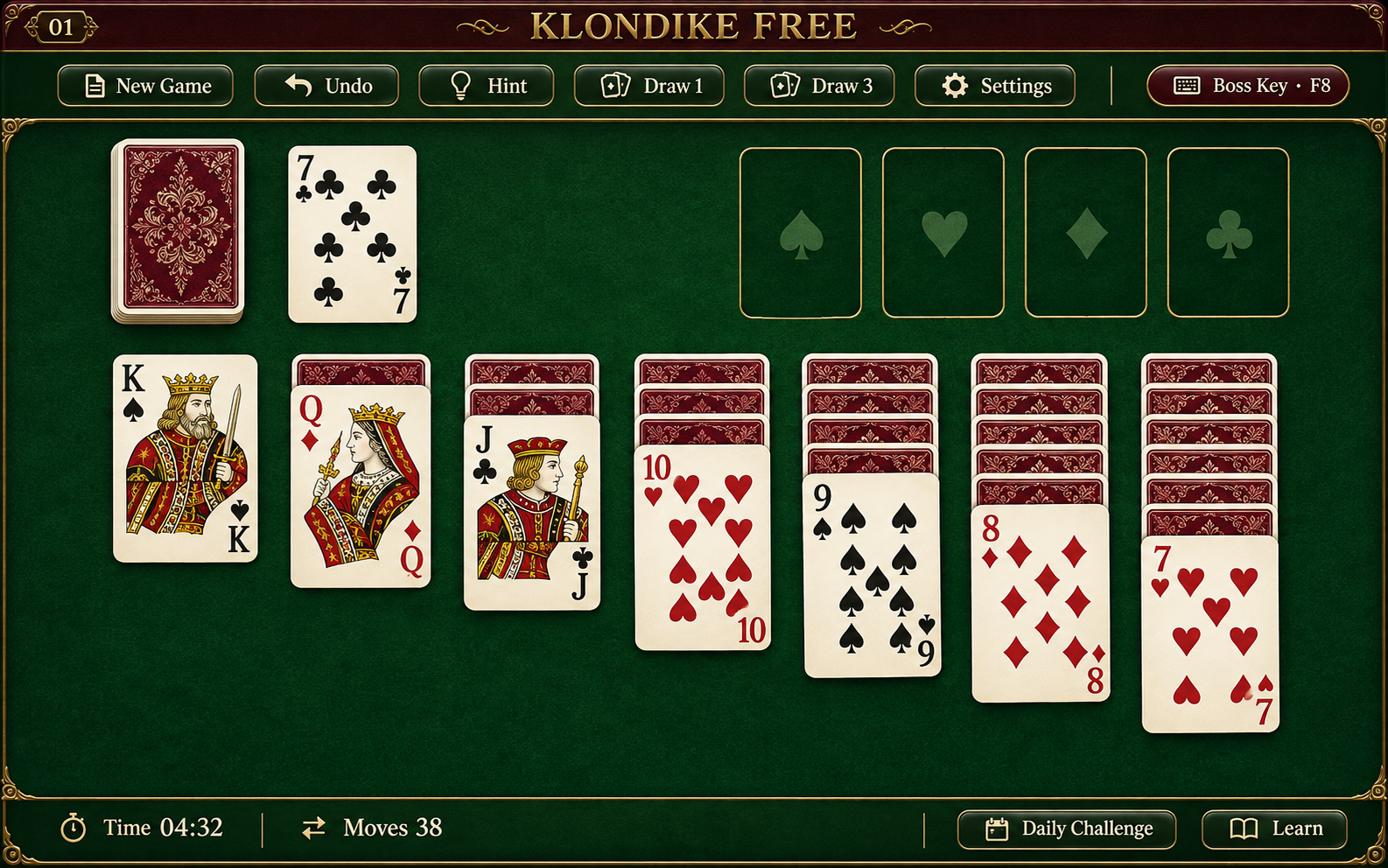
Klondike Free brings the classic single-player card game straight to your browser. Start a hand, uncover the hidden cards, and build four foundations from ace to king. Choose Draw 1 for an approachable pace or Draw 3 when you want a more demanding puzzle. There is no download, paid entry, wagering, or cash prize. You do not need an account to play. Click Play above to open the table in the same place, then choose your settings inside the game.
The default table uses deep green felt, warm brass accents, and clear red-and-black cards. Nine other themes let you change the atmosphere without changing the rules. Your selection stays in this browser when local storage is available. Themes are a visual choice, not a competitive advantage: the same cards, legal moves, and controls are available in every style.
How to play Klondike Free
A standard 52-card deck is dealt into seven columns. The first column begins with one card, the second with two, and so on. Only the top card of each column starts face up. The remaining cards form the stock. Turn cards from the stock into the waste, then use the exposed waste card or the exposed cards on the table to make legal moves.
Build table columns downward in alternating colors. A black nine can go on a red ten; a red queen can go on a black king. You can also move a complete descending, alternating-color sequence as a unit. An empty column can receive a king or a valid sequence headed by a king. When you remove the last face-up card covering a face-down card, that hidden card turns over.
The four foundation piles build upward by suit, beginning with aces. Put a two of hearts on the ace of hearts, not on an ace of another suit. Win by moving all 52 cards onto the foundations. If your plan stalls, drawing again or undoing an earlier choice can reveal another route. Not every random deal is guaranteed to be winnable.
Choose Draw 1 or Draw 3
Draw 1 exposes one stock card at a time. Draw 3 turns up a group of up to three cards, but only the top exposed waste card is available. The order matters: playing one card can make another accessible. When the stock is empty, recycle the waste without shuffling it. Stock passes are unlimited in this version.
Changing modes asks for confirmation, saves the current hand, and tries to restore the saved hand for the selected mode. If no usable save is available for that mode, a new deal starts. You can restart the same deal to explore another approach, or request a new random deal. A restarted or assisted hand is practice, not a fresh leaderboard attempt. The Klondike rules guide explains the piles, legal sequences, and common points of confusion in more detail.
A daily Klondike challenge
Choose Draw 1 or Draw 3, then use Daily challenge below the card table. Confirming replaces the current hand with the challenge for that mode and date. The deal is seeded from the calendar date reported by your browser and the draw mode: the same local date and mode produce the same cards, rather than a different random shuffle each visit. Time zones can put players on different dates.
A repeat attempt in the same browser is practice, as are restarted or hint-assisted hands. Daily deals are not certified winnable. Open Leaderboard and choose Today's challenge to view available daily results, keeping Draw 1 and Draw 3 separate. See the rules and help guide for daily play, strategy and troubleshooting.
Helpful controls without getting in the way
Click a card to select it and click its destination, or drag it into place. Undo reverses your previous action, including a hidden card revealed by that action. Hint offers a legal suggestion with a short explanation. It is not a promise of the best possible move or a winning solution. Learning examples explain useful ideas such as revealing covered cards and considering the value of an empty column.
Progress is saved locally when your browser permits it. Online player services can also keep a compact save for the anonymous identity in that browser. Keep the same browser and its site data if you want to return to your current game. Clearing site data or changing devices can lose access; this is not an account-based cross-device backup. If an online service is temporarily unavailable, you can still play locally.
Your table, your shortcut
Use Settings to choose a theme and adjust the available sound, layout, and display options. On desktop, the Boss Key lets you set a destination website and a single key or key combination. When triggered, it hides the game, stops its sound, attempts to save locally, and leaves for your chosen address. External websites still need time to load. Reserved system shortcuts may not be available, so test your choice before relying on it.
The shortcut and destination stay in local browser settings rather than the public leaderboard. Desktop also provides a clickable Boss Key button. Mobile does not include a Boss Key or its settings. Returning to the table should be deliberate: resume when you are ready. For leaderboard purposes, elapsed time includes pauses and time away, so the shortcut cannot be used to stop a competitive clock.
A casual leaderboard, not a prize contest
Draw 1 and Draw 3 have separate time leaderboards. Eligible completed wins can be offered for submission when their time appears to fit the current top 100. You choose whether to submit. Enter a display name the first time; on later attempts, your last saved name is filled in and remains editable. Your anonymous player identity keeps its best published result in each board rather than occupying multiple places.
Qualification can change while you type, and ties or simultaneous submissions can change the visible list. These are casual browser leaderboards with basic validation and request limits, not tamper-proof competitive results. Hint-assisted or restarted hands are marked as practice. No result earns money or a prize. Never use your real name or private information if you do not want it visible to other players.
Frequently asked questions
Is Klondike Free really free to play?
Yes. Playing, switching themes, and using the game controls do not require a purchase. There is no subscription checkout or wagering feature on this site.
Can I play on a phone?
The table is designed to adapt to smaller screens. Tap a card and then its destination if dragging feels awkward. Browser support and available screen space can affect the experience.
What happens when I close the page?
The game attempts to save your current progress. Return using the same browser with site data intact. A private window, blocked storage, or deleted browser data can prevent recovery.
Does a hint guarantee that I can win?
No. A legal move is not necessarily an optimal move, and random deals are not certified solvable. Hints explain an available action rather than claiming to see a guaranteed finish.
Does changing the theme change my game?
No. Themes change the presentation. They do not reshuffle your cards or change the legal rules. You can return to the classic green table in Settings.
Does Klondike Free have a daily challenge?
Yes. Choose your draw mode, then select Daily challenge below the table. The deal uses your browser's local calendar date and the selected mode. Repeated attempts in that browser count as practice. A daily deal is not guaranteed to be winnable.
What should I do if the game will not load or my save is missing?
Try reloading with a working connection and reopen the same browser, normal profile and draw mode used for the saved game. Do not clear cookies or site storage as a first step: doing so can remove the save or its anonymous identity. The rules and help guide has a step-by-step checklist.
Share a little feedback
Have a suggestion or found a tricky deal? Leave a note. Comments are moderated; never post private information.